Figma plugin · 3D · Build
GLB Product Shots
Product shots from a 3D model, without leaving Figma.
GLB Product Shots is a Figma plugin I built to turn 3D models into ready-to-use product images, without leaving the canvas. Frame the model, adjust the lighting and background, then drop the finished shot straight into Figma.
Why I built it
I kept leaving Figma to take a photo of something that only existed in 3D.
I was designing a suitcase customiser using 3D models, but every time I needed the product in a layout, I had to leave Figma, set up the model somewhere else, render an angle, export it, then bring it back in.
And then repeat the whole thing for the next angle.
I wanted a simpler workflow: load the model, find the shot and place it on the canvas.
So I built a plugin.
How it works
01 Frame
Find the angle.
Load a .glb or .gltf, then orbit, zoom or use precise camera controls to find the shot. Save views you want to come back to.
02 Style
Make it feel like a product shot.
Adjust the background, exposure, lighting, reflections and ground shadow until the model sits the way you want it.
03 Place
Drop it straight into Figma.
Insert the current shot at up to 4× resolution, or turn multiple angles into a ready-to-use Figma component set.

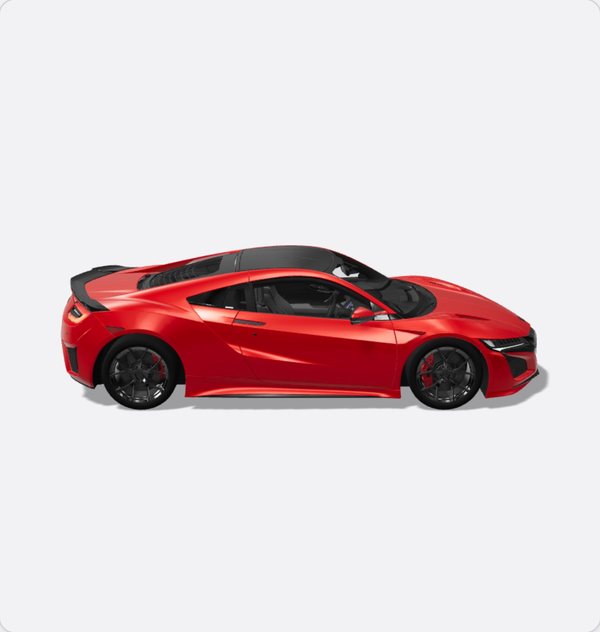

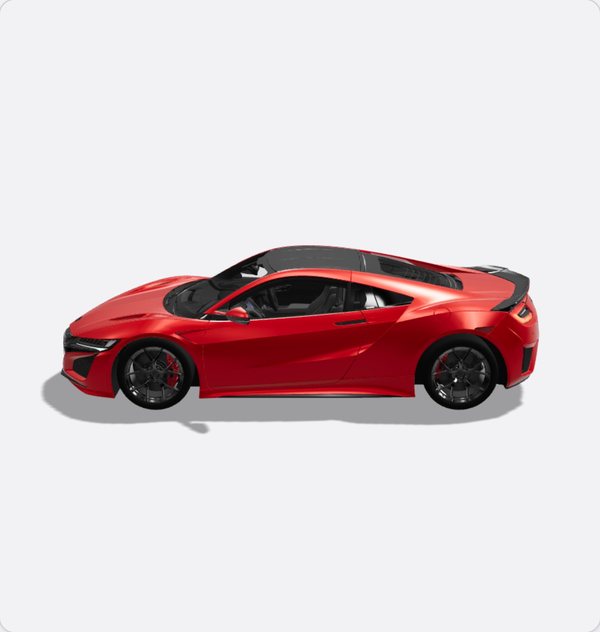
Four angles. One component set.
Three principles that shaped it
- 01
Controls over presets
I initially created six one-click styles, but they hid what was actually changing. I replaced them with manual controls so every adjustment is visible, tunable and repeatable.
- 02
Work with Figma, not against it
Figma doesn't support live 3D layers, and animated exports came with limits I couldn't control. Rather than fighting the platform, I focused the plugin on what it could do reliably: high-quality stills and reusable angle sets.
- 03
Keep the important actions close
Insert, reset and load another model stay pinned to the bottom of the plugin, however far you've moved through the controls.
From broken viewer to working plugin, in a week
- 01
Get a model on screen 13 Jul
Started with Google's model-viewer. It failed silently inside Figma.
- 02
Rebuild the renderer
Moved to Three.js, loaded in one script with proper error handling.
- 03
Name the outcome
GLB Viewer → GLB Product Shots. The old name was already taken.
- 04
Design the actual tool
Viewer beside the controls, plus light and dark themes.
- 05
Try presets
Added six one-click product-shot styles.
- 06
Simplify
Removed video export and pinned the primary actions.
- 07
Give control back 19 Jul
Replaced the presets with manual lighting, camera, background and shadow controls.
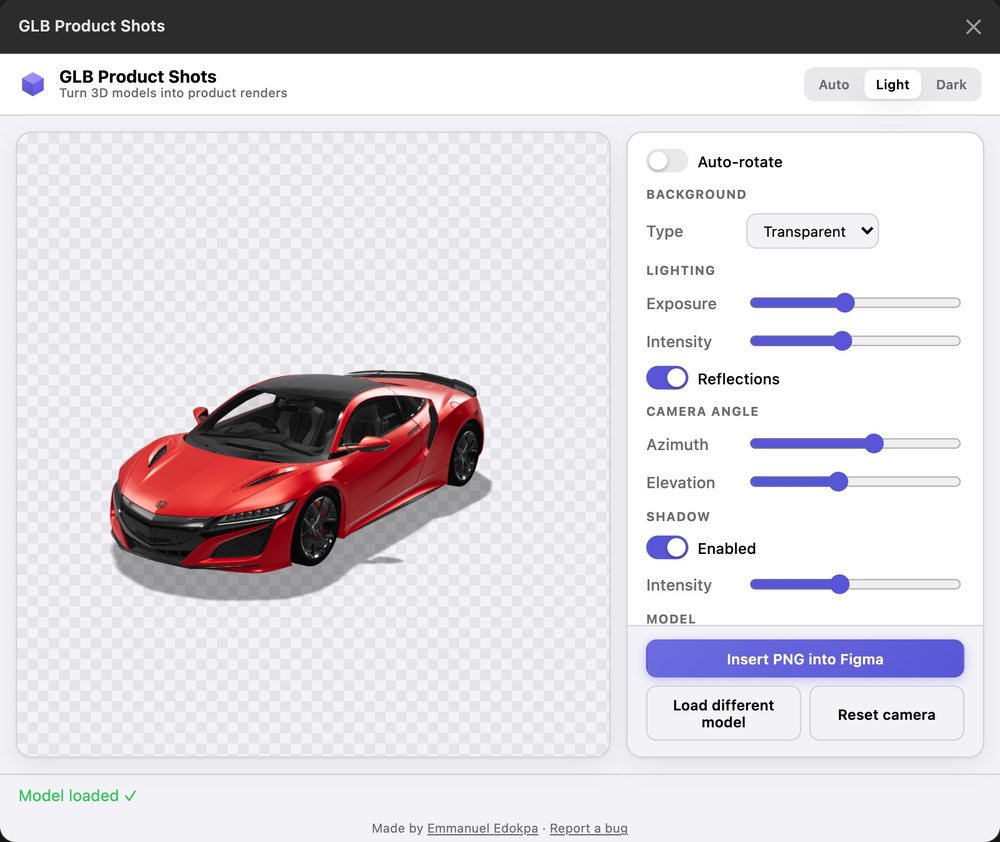
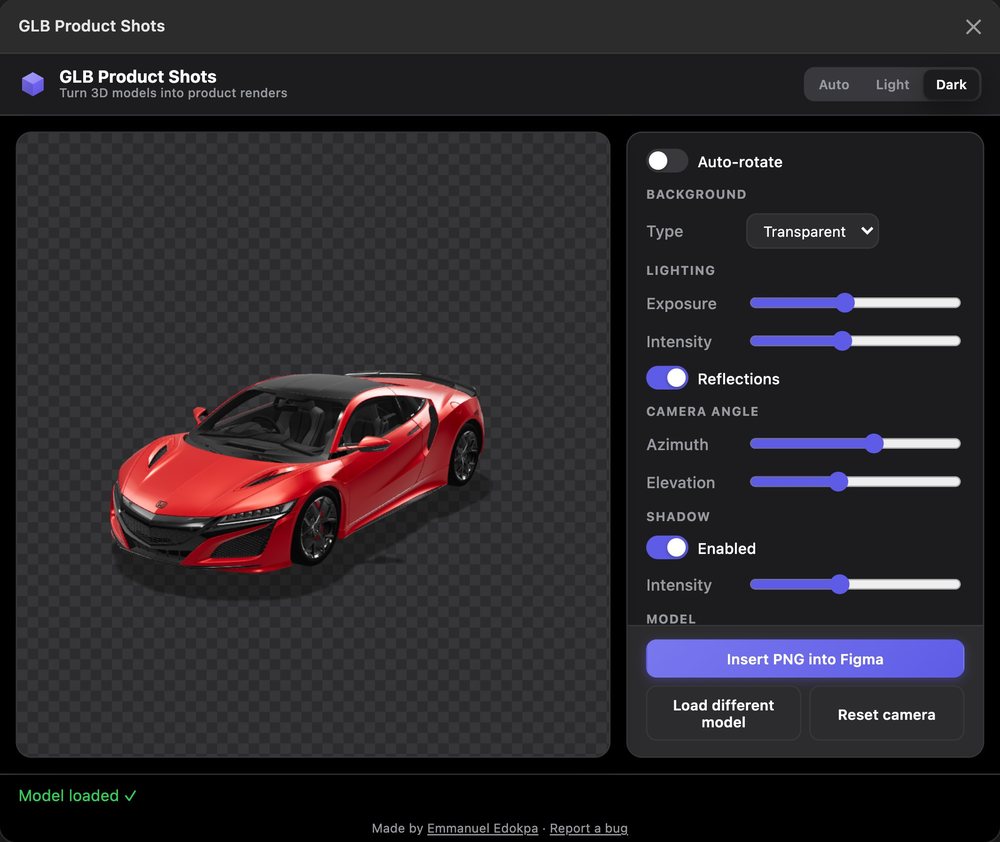
Built from the same colour tokens, and follows Figma's theme.
People started using it
I originally built GLB Product Shots to solve my own workflow problem. Then I shared it.
It's now live on Figma Community and has started finding its way into other designers' workflows.
80 Figma users
One small plugin changed how I work.
GLB Product Shots started as a way to solve an annoying problem in my own workflow.
But building it showed me I could take an idea further than a prototype. I could actually make the tool I wanted to use.
That gave me the confidence to build Aora.
Have thoughts about it? I'd genuinely like to hear them.