Fintech · Web app · Enyata
Jollof+ admin
The dashboard Baobab’s staff use to run Jollof+.
Once Jollof+ launched, the bank needed somewhere to manage it from. I designed the admin dashboard their staff use every day to look after customers, savings, interest rates and the messages that go out to users.
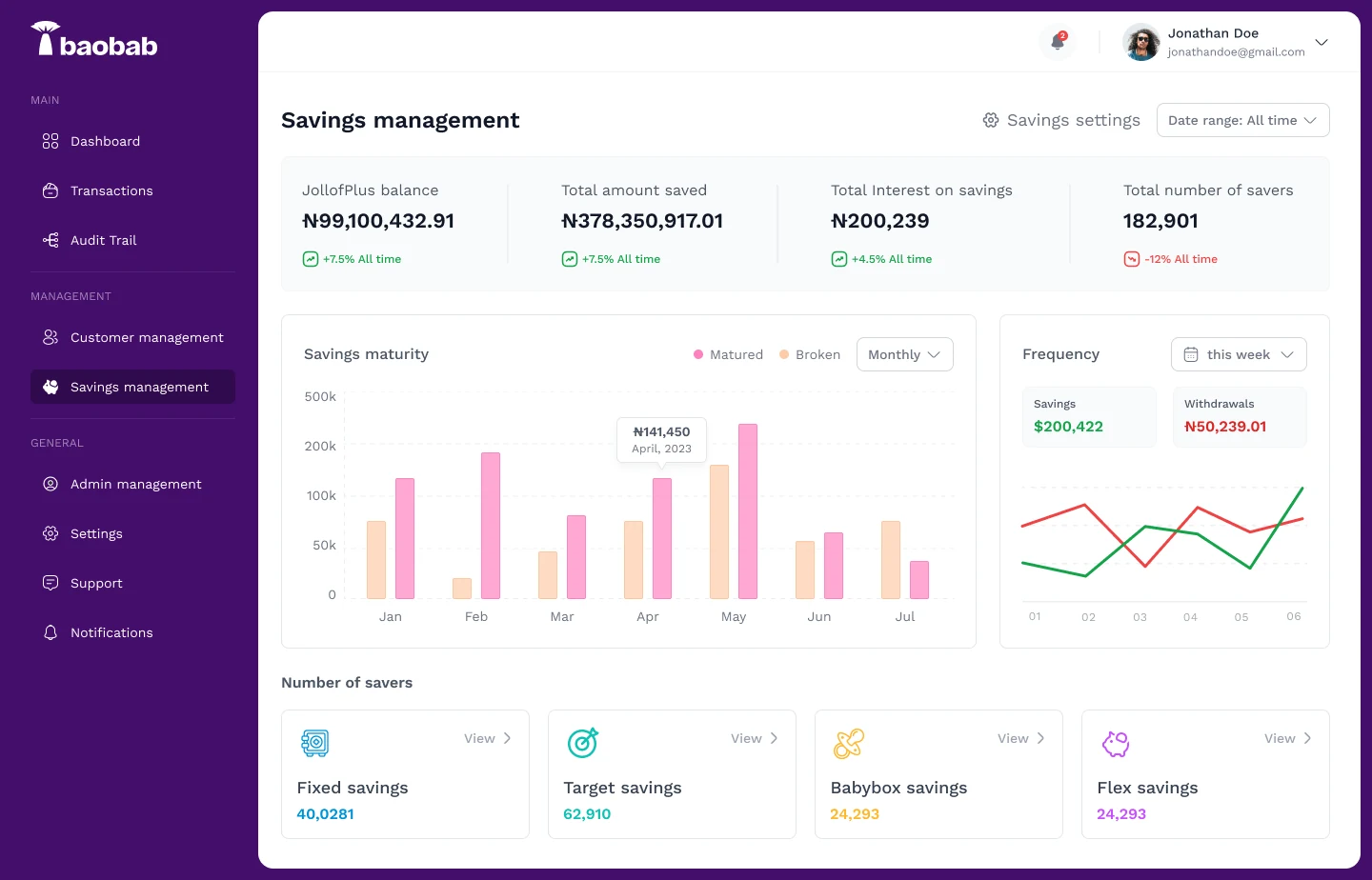
Made for people who aren’t technical
A lot of the people using this dashboard aren’t technical. Some work with the numbers and change interest rates. Some look up a customer when something has gone wrong. Some only log in to send a notification to users, then log out.
I led the design, with one supporting designer, and made the main design calls, the same way I did on the app. We focused on three things: keep it simple, make the information clear, and make it easy to get around. Whoever logs in should be able to find their section, do what they came to do, and get on with their day.
What people do in it
01 Check how things are going
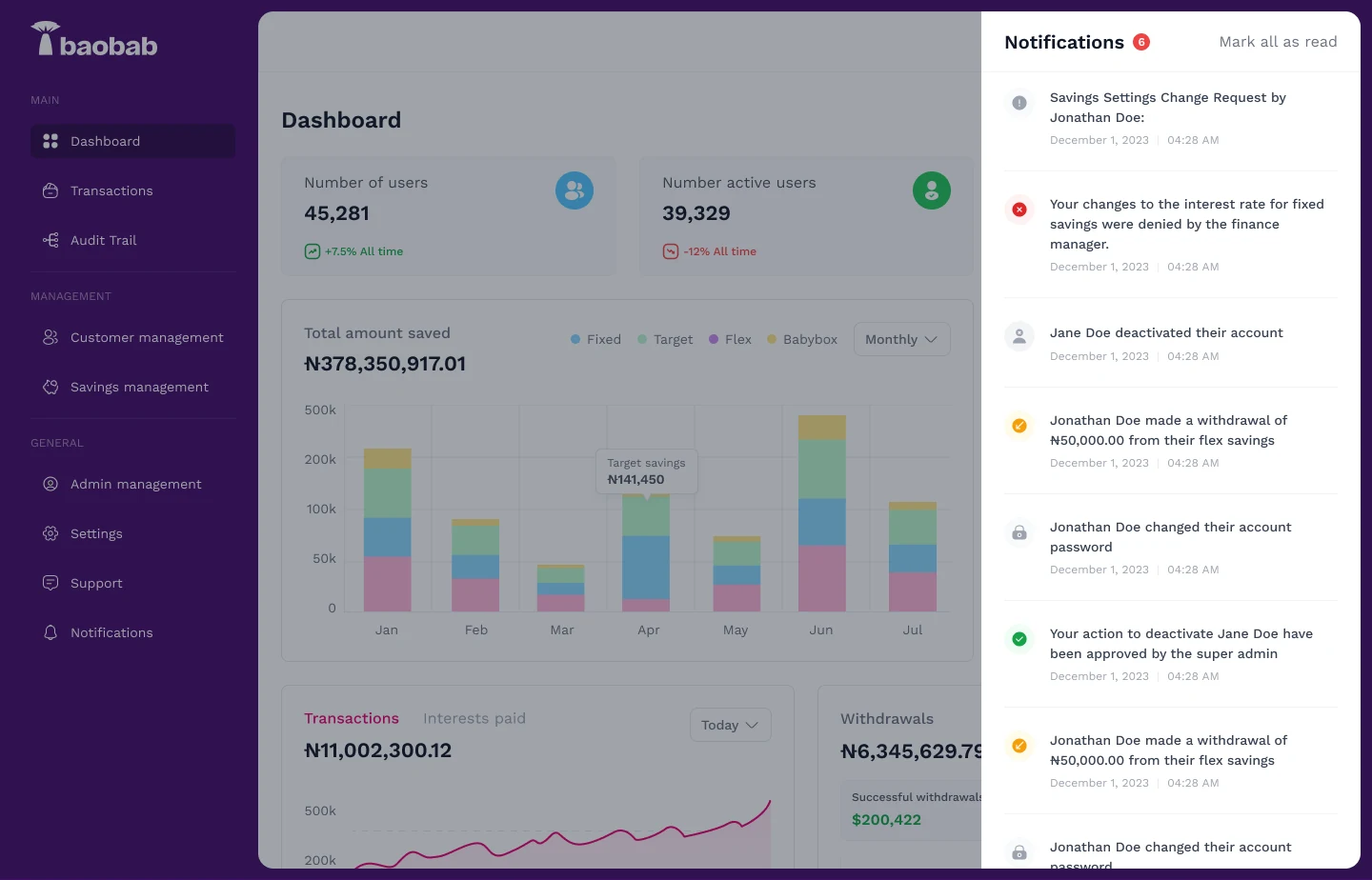
The dashboard is the first thing you see: users, active users, money saved in each plan, transactions and withdrawals, with recent notifications down the side.
02 Help a customer
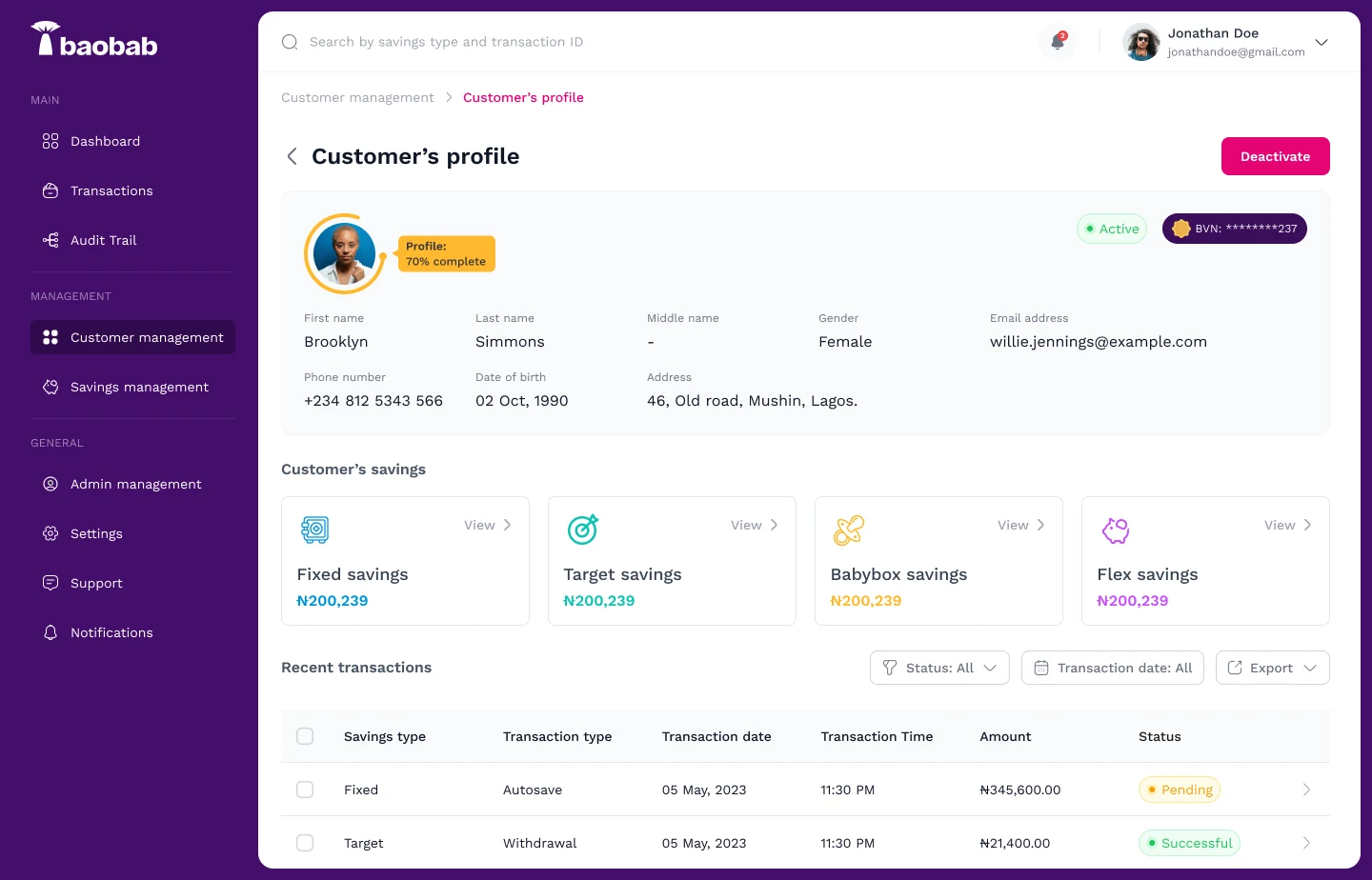
Search for a customer and everything about them is on one page: their details, KYC status, each savings plan they have and their recent transactions. Nobody has to jump between screens to answer one question.
03 Look up a transaction
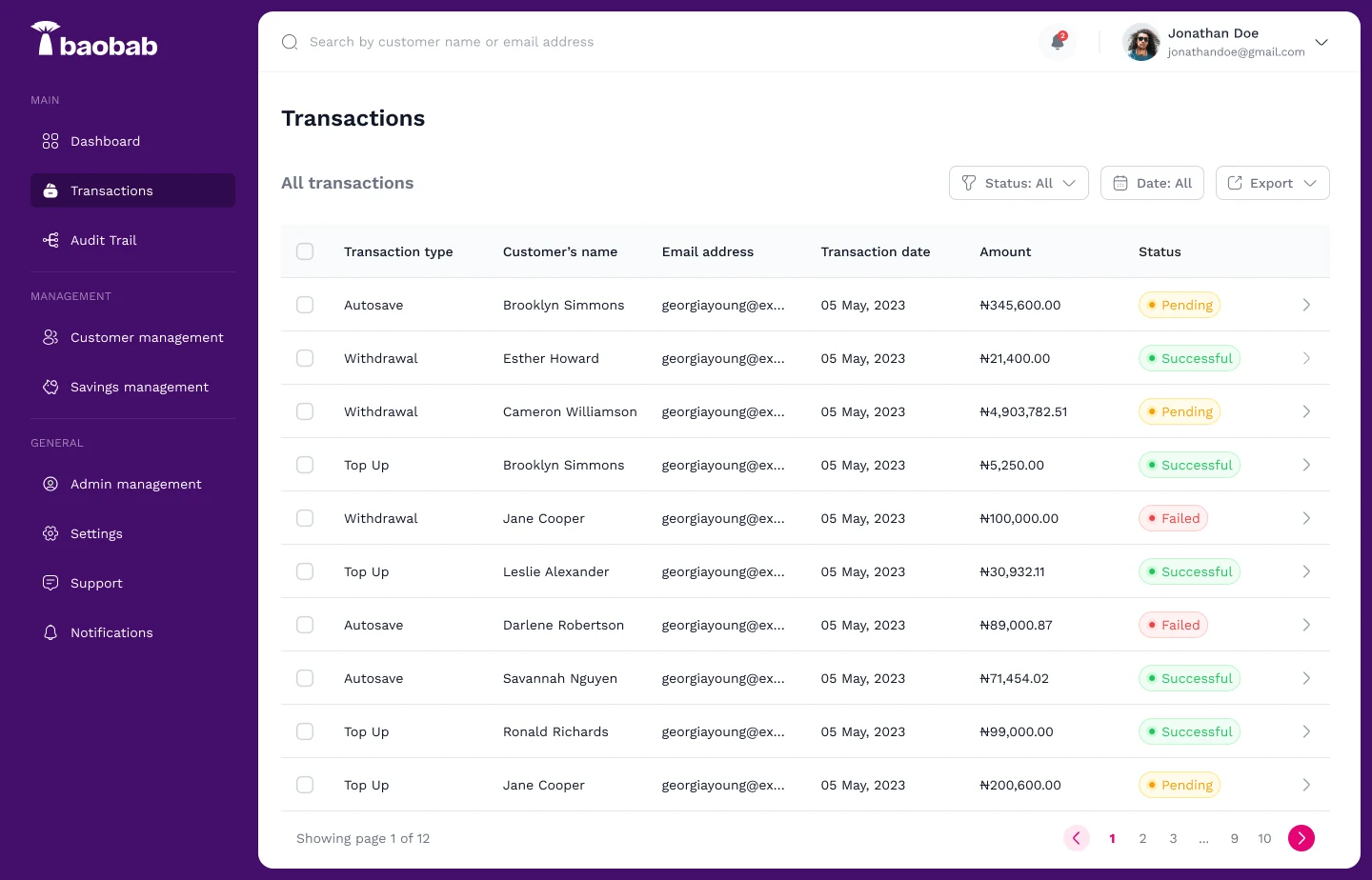
Every transaction on the platform is in one table. You can filter it by status and date, and export it.
04 Send a notification
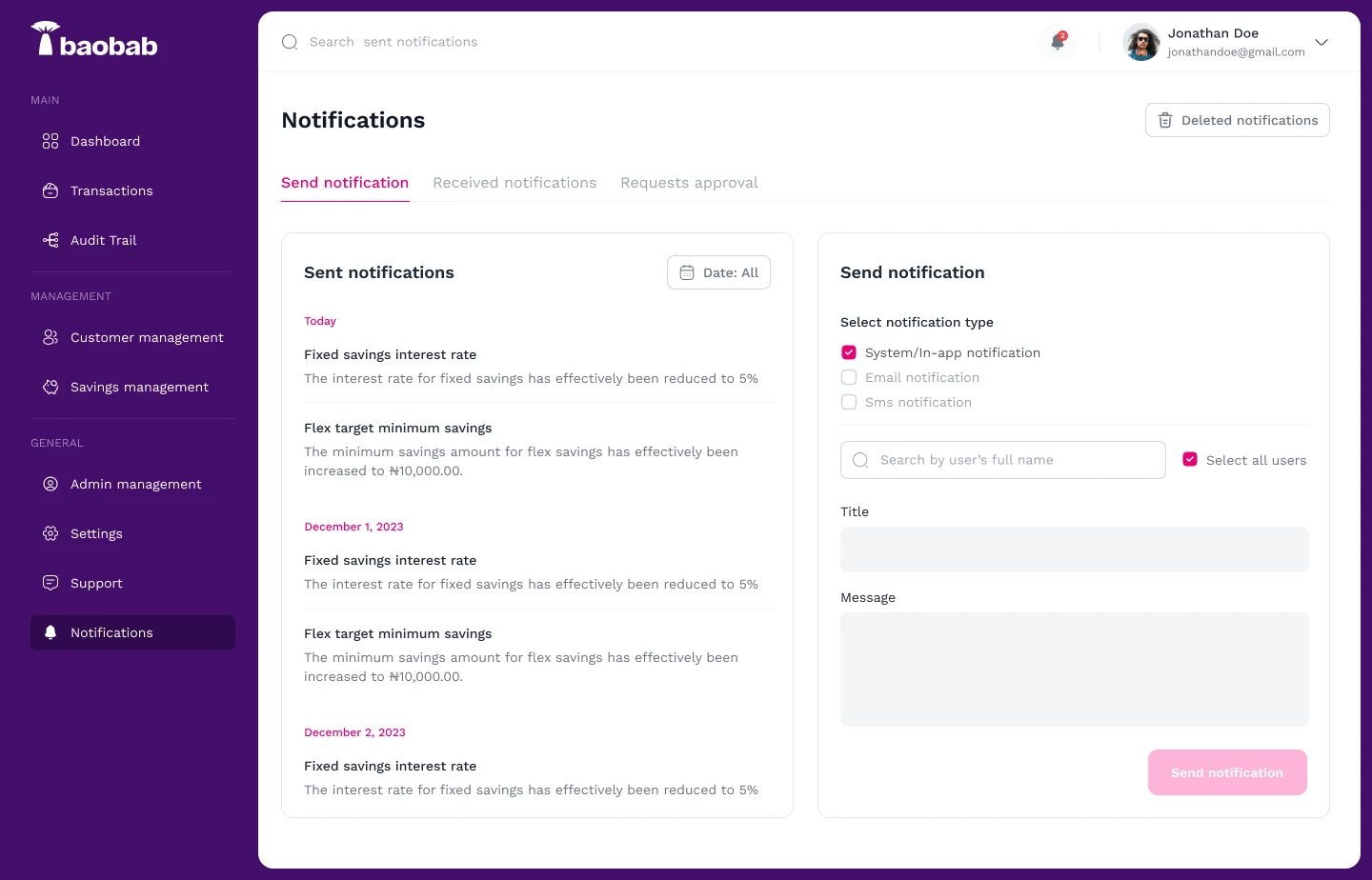
This one had to be especially easy, because some staff only log in to do this. Pick how it goes out (in-app, email or SMS), choose who gets it or select everyone, write a title and a message, and send. What’s already been sent stays on the left, so nobody sends the same update twice.
05 Change a savings rate
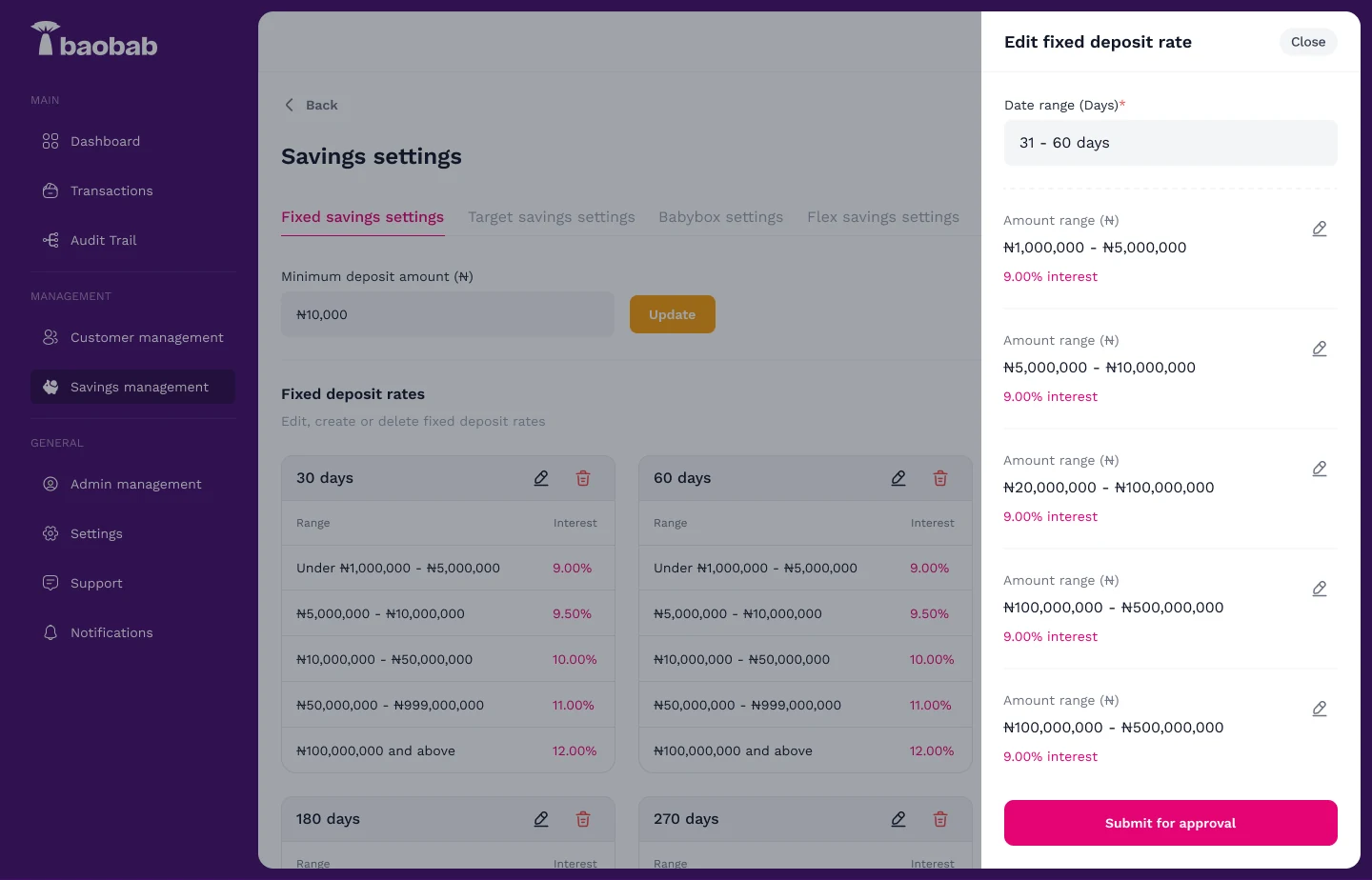
Fixed savings rates depend on how much someone saves and for how long. Staff can edit them here, but the change doesn’t go live straight away. It’s submitted for approval first.
06 Approve or reject a change
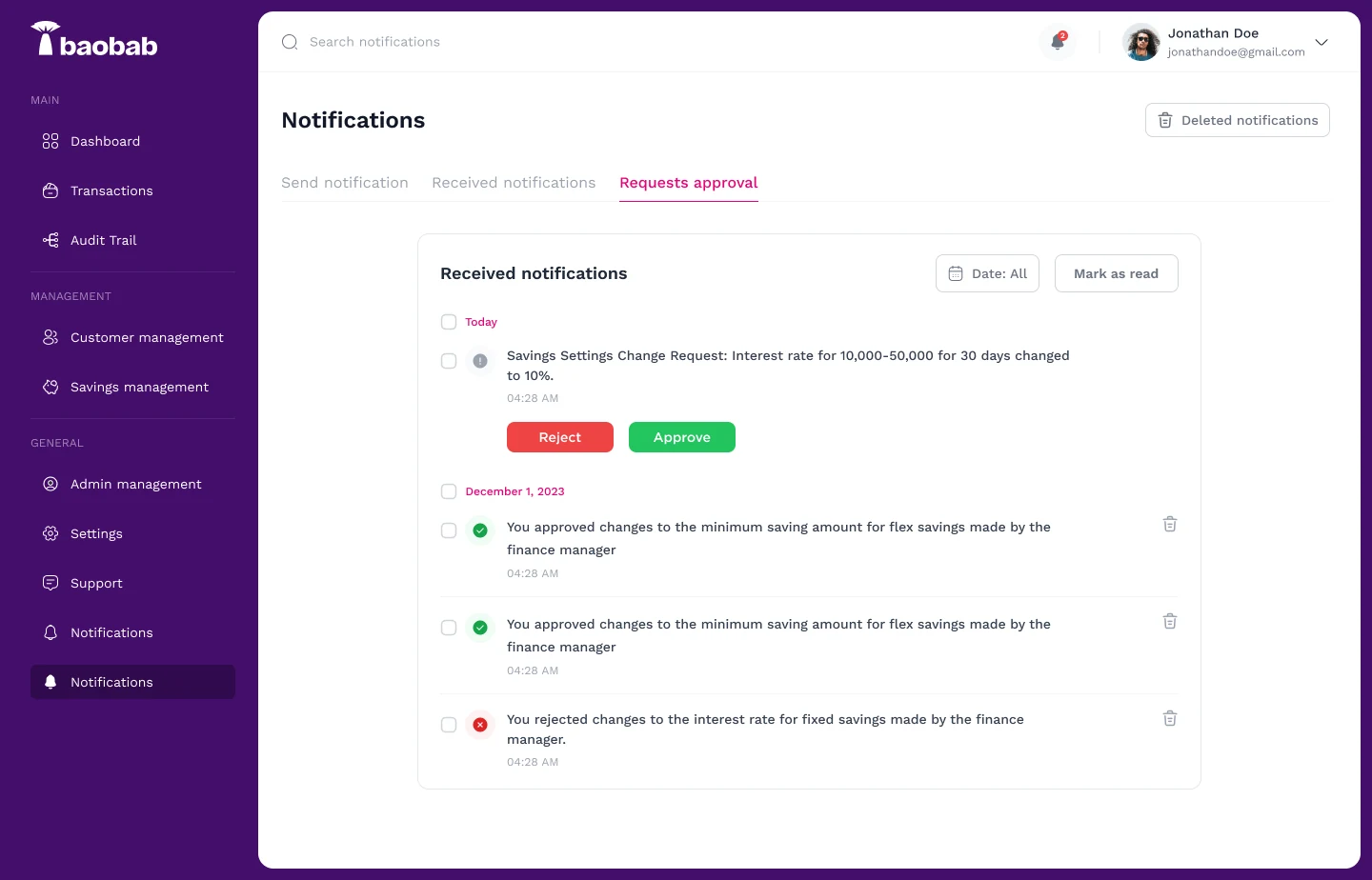
The approver gets the request in Notifications, with the exact change written out, and can approve or reject it right there.
07 Update what customers see
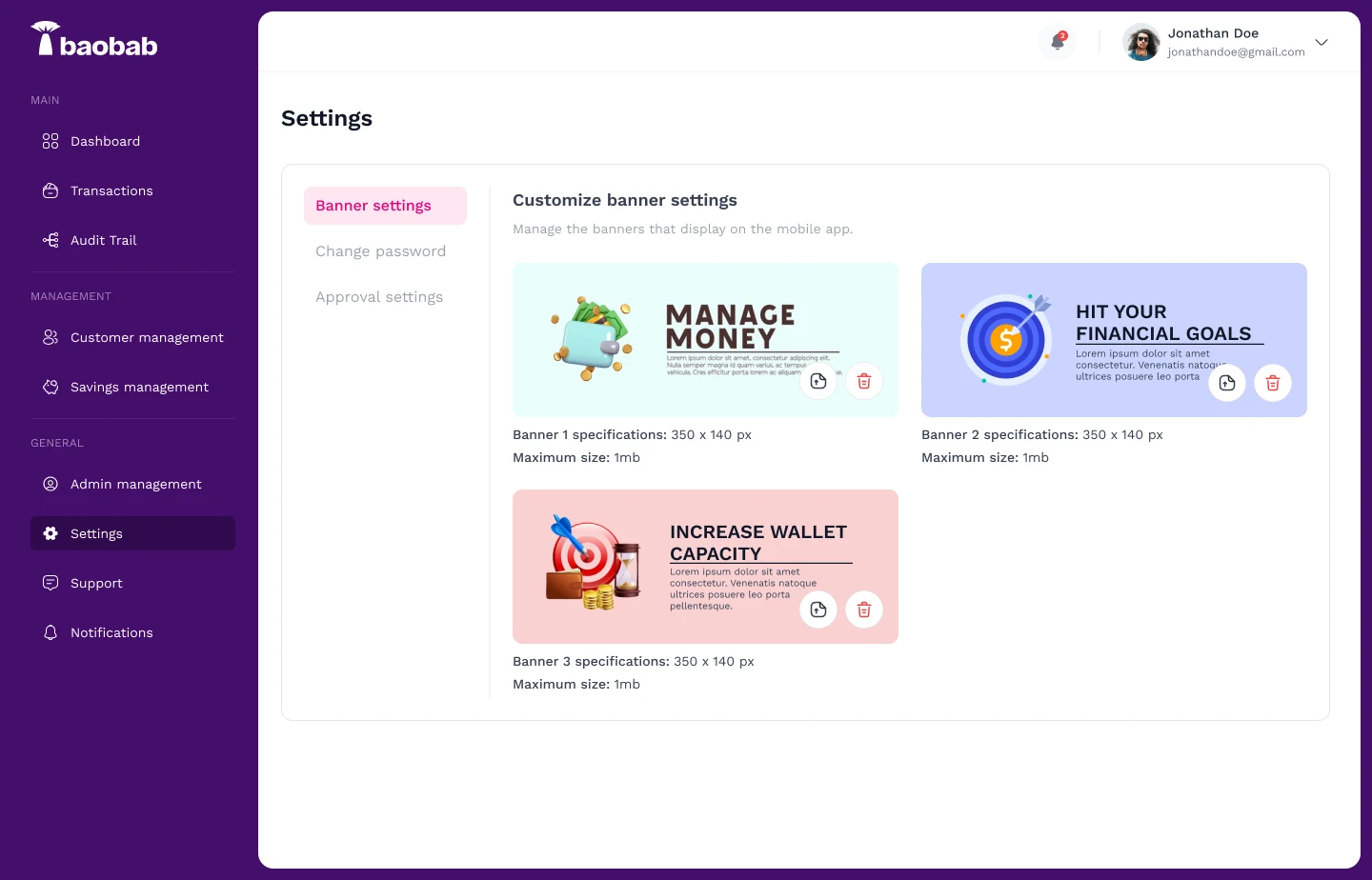
The banners in the mobile app are changed from Settings. Each slot shows the size the image needs to be, so swapping a promotion doesn’t need a developer.
Who can do what
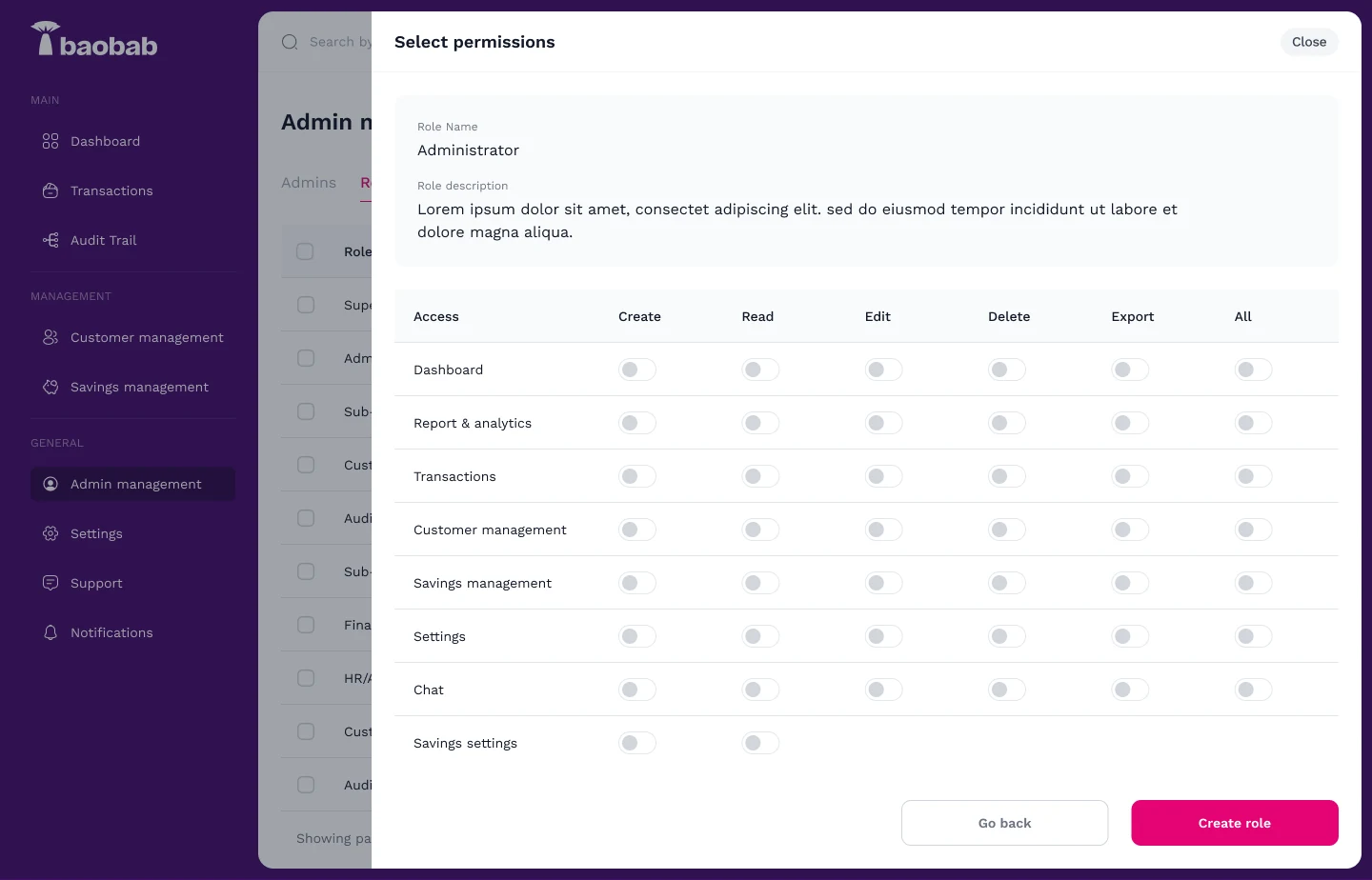
Some of these actions touch people’s money, so access matters. Every admin has a role, and every role is built from permissions for each section: create, read, edit, delete and export.
08 Roles and permissions
So one role can be allowed to change rates, while another can only send notifications.
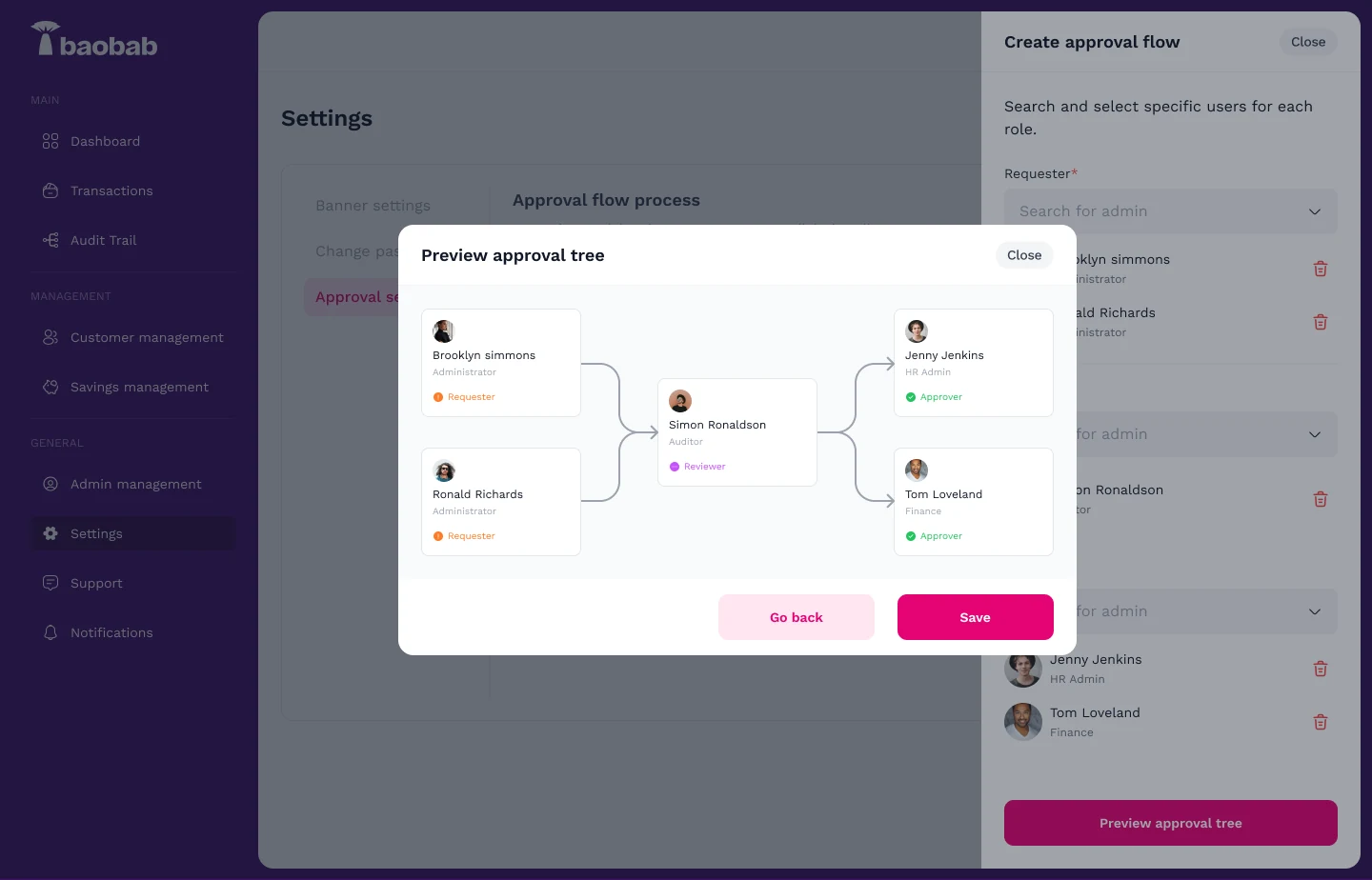
09 Approval flows
Approval flows decide who has to sign off on what. You can preview the chain of approvers before you save it.
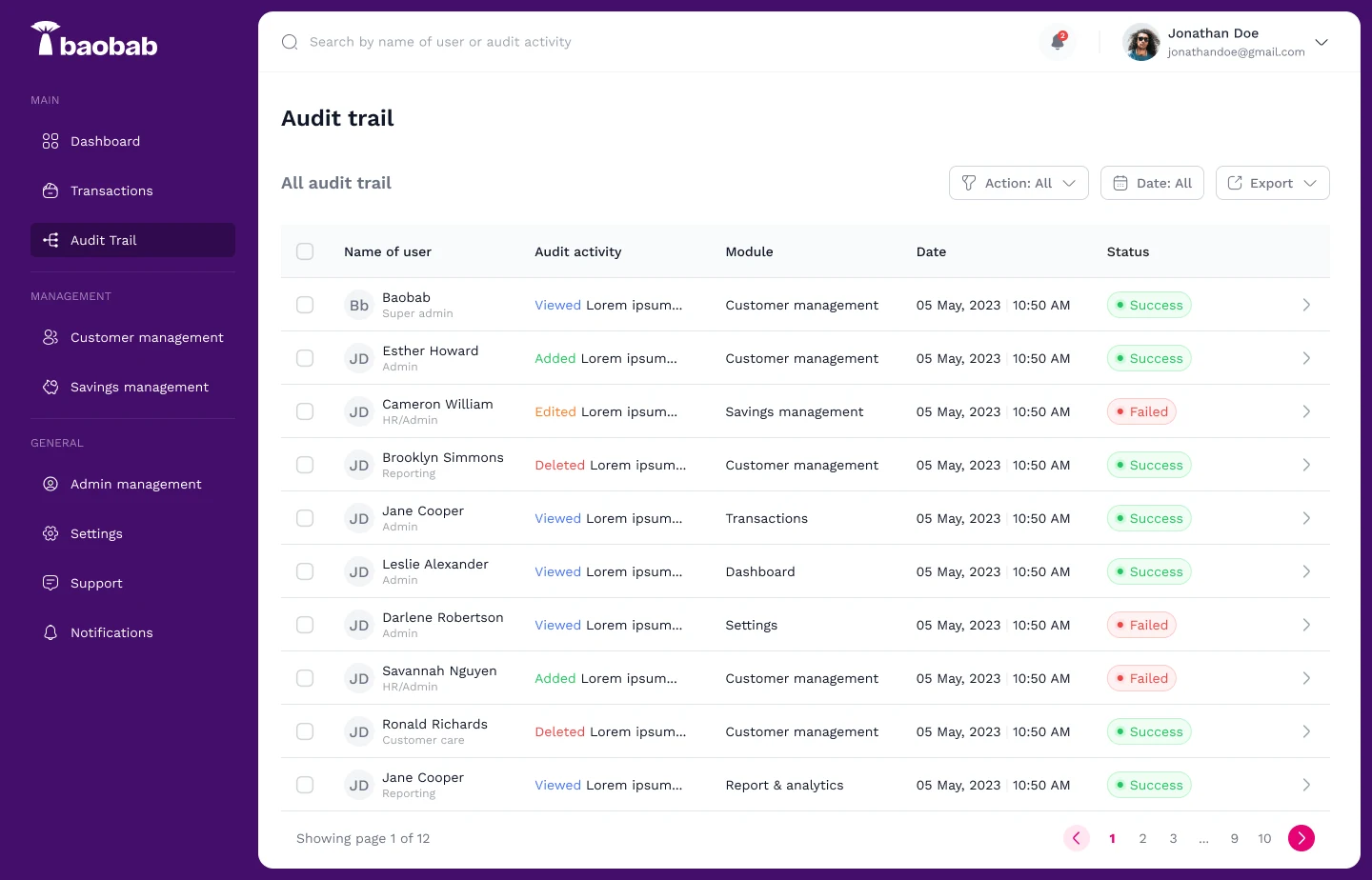
10 Audit trail and reports
Everything is recorded: who did what, in which section, and when. Reports cover daily deposits, accrued interest, withdrawals and early terminations, and each one can be exported.
One question per screen
The rule was the same one we used for the app: each screen should answer one clear question, so people can act on it quickly. Who is this customer? What changed? Who approved it?
The admin was designed alongside the customer app. Read the Jollof+ app case study.
Want to talk about this project? I'd genuinely like to hear from you.